Skillix operational software

Induction and learning management

Connect course management, learning designer content, imported SCORM packages, site inductions, role training, resource libraries, employee obligations, attendance, attempts, completion history, expiry alerts, analytics, reminders, evidence, and compliance decisions to workforce readiness.

How Skillix helps

The work Skillix brings into one accountable operating record

Feature / Inductions and learning01

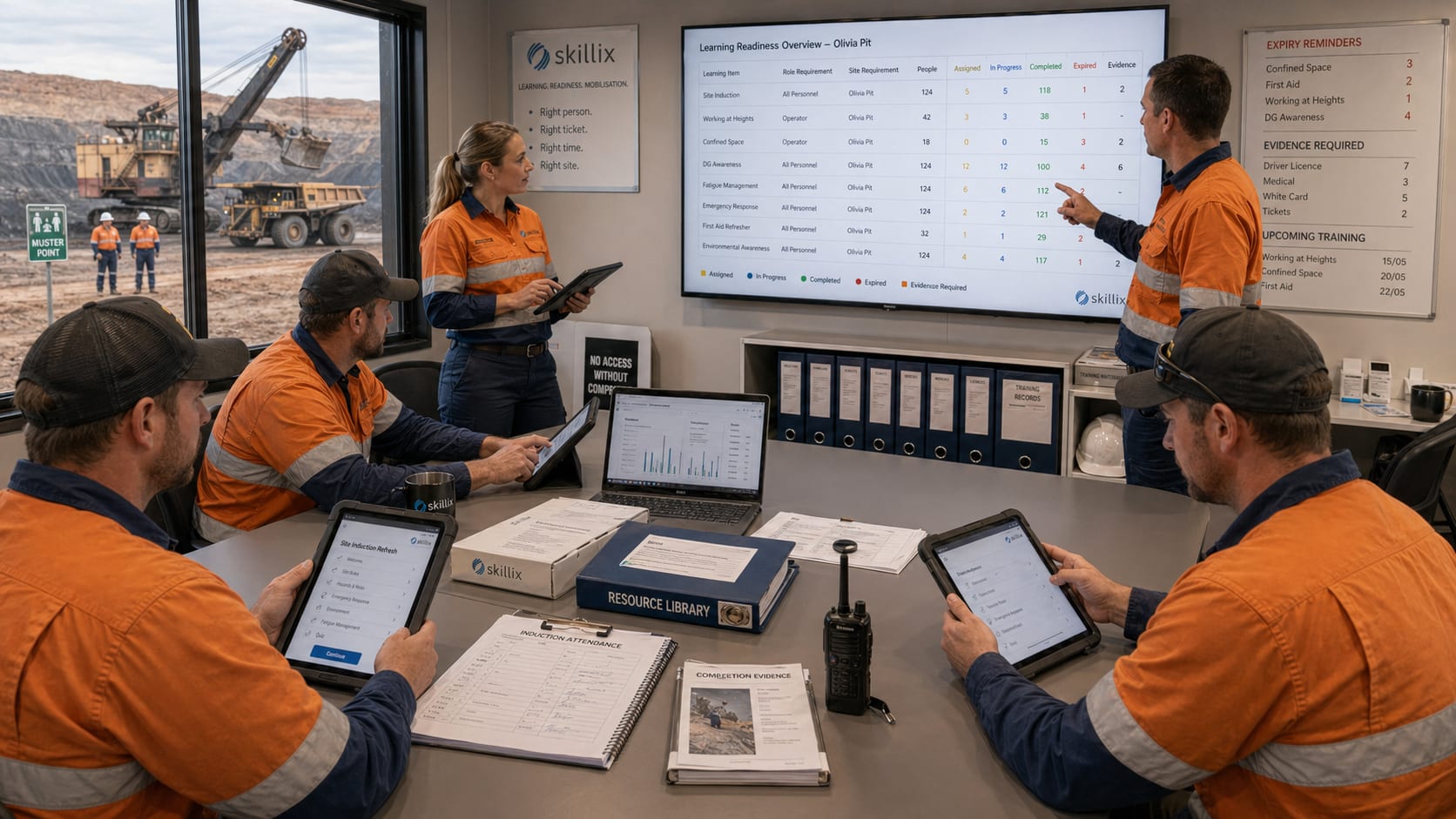
A crew is rostered, but several workers need site induction refreshes before release.

Skillix can show the induction gap, the course assignment, the role and site requirement, the evidence needed, the worker owner, the reminder path, and the readiness impact in one place.

Control intentscorm induction learning management software
Linked modules7
Proof postureTraceable
Current Friction02
  • Training and induction records only matter operationally when they affect whether a person can work a role, site, job, or shift.
  • Course content, resource libraries, assignments, attendance, attempts, scores, expiry dates, and competency requirements can drift away from the readiness decision.
  • Supervisors and planners need learning status in the readiness picture, not in a separate LMS report or admin-only course list.
Skillix operating record03
  • Connect site inductions, courses, learning modules, resource libraries, assignments, attendance, attempts, scores, expiry risk, and competency requirements to workforce readiness.
  • Show whether training evidence satisfies the role, site, job, roster, or compliance requirement before mobilisation pressure lands.
  • Make training status visible where work is planned instead of waiting for LMS exports, course spreadsheets, or late coordinator checks.
  • Route learning gaps into document requests, communications, reminders, workflows, and supervisor follow-up.
  • Give learners a My Learning portal for assigned courses and discovery while managers retain course performance, attendance, and analytics.
Connected modules04
Learning ManagementTraining RequirementsHR CompetenciesWorkforceDocumentsCommunicationsWorkflows
Course management tied to readiness05
  • Resolve induction and learning status against the role, site, job, roster, and compliance requirement that depends on it.
  • Show expired, missing, assigned, in-progress, completed, and evidence-backed learning in the shared operating record.
  • Prevent training gaps from being discovered after the crew has already been planned.
Resources, obligations and activity06
  • Keep resource categories, course categories, learning obligations, activity feeds, completion records, and evidence attached to the employee record.
  • Give supervisors and coordinators current learning context without manual LMS report chasing.
  • Preserve the audit story around what was assigned, started, completed, reviewed, and used for release.
Learner and manager views07
  • Give employees a My Learning view for assigned learning, discoverable courses, due dates, and completion progress.
  • Give managers dashboard, performance, attendance, analytics, notification, and course version context.
  • Use reminders and workflow ownership to keep overdue learning visible until resolved.
Expiry follow-up08
  • Surface induction and training refreshes before they become site-access blockers.
  • Send reminders and workflow actions to the people who can resolve the gap.
  • Feed resolved learning evidence back into compliance and workforce readiness.
Your courses stay yours09
  • Upload a SCORM 1.2 or SCORM 2004 course you already own, up to 250 MB, and run it beside the training you build in Skillix.
  • Take a Skillix-built course out again as a SCORM package, to hand to a client who runs their own learning system.
  • Uploaded course content is played in a sealed frame, separate from your Skillix data, because the files come from somewhere else.
Problems Skillix controls

Turn the pressure points into accountable operating work.

Skillix is designed around the real points where work stalls: missing proof, unclear ownership, disconnected systems, manual follow-up, and decisions made too late.

01

Training and induction records only matter operationally when they affect whether a person can work a role, site, job, or shift.

02

Course content, resource libraries, assignments, attendance, attempts, scores, expiry dates, and competency requirements can drift away from the readiness decision.

03

Supervisors and planners need learning status in the readiness picture, not in a separate LMS report or admin-only course list.

What Skillix produces

A crew is rostered, but several workers need site induction refreshes before release.

Skillix can show the induction gap, the course assignment, the role and site requirement, the evidence needed, the worker owner, the reminder path, and the readiness impact in one place.

Request a Skillix walkthrough
  1. Connect site inductions, courses, learning modules, resource libraries, assignments, attendance, attempts, scores, expiry risk, and competency requirements to workforce readiness.
  2. Show whether training evidence satisfies the role, site, job, roster, or compliance requirement before mobilisation pressure lands.
  3. Make training status visible where work is planned instead of waiting for LMS exports, course spreadsheets, or late coordinator checks.
  4. Route learning gaps into document requests, communications, reminders, workflows, and supervisor follow-up.
  5. Give learners a My Learning portal for assigned courses and discovery while managers retain course performance, attendance, and analytics.
Real operating use cases

Where Skillix turns this pressure point into operational control.

These are the problems Skillix is built to control when teams are still relying on spreadsheets, disconnected point tools, and manual follow-up.

Operating use case

Site induction readiness before mobilisation

Skillix keeps induction assignments, completion evidence, expiry status, role requirements, and site rules in the same readiness picture planners use before a crew is released.

  • Show missing, expired, assigned, in-progress, and completed learning beside the roster and site requirement.
  • Route induction gaps into reminders, document requests, workflows, and supervisor follow-up.
  • Keep the completion record connected to the employee, role, site, and release decision.
Operating use case

Learning activity that supports compliance decisions

Learning records become more useful when they are tied to the compliance decision they support, not trapped in a standalone LMS report.

  • Connect courses, resources, attempts, attendance, scores, and evidence to workforce readiness.
  • Give learners a clear My Learning path while managers retain course performance and analytics.
  • Preserve the audit history behind what was assigned, completed, reviewed, and accepted.
Operating use case

Learning content that becomes site proof

Course completions, refreshers, resource acknowledgements, attendance, and evidence should move straight into the readiness decision that depends on them.

  • Connect learner progress to role, site, job, roster, and compliance requirements.
  • Trigger reminders and workflow follow-up when refresher windows, evidence, or completion status put readiness at risk.
  • Give managers proof that the right learning was assigned, completed, reviewed, and accepted before the worker is released.
Connected control path

This capability becomes stronger when it connects to the surrounding operation.

The strongest outcome is not the page by itself. It is the way Learning Management, Training Requirements, HR Competencies and the wider Skillix record reinforce the same decision.

Connect

Tie the capability to live operating records.

Skillix connects the page’s focus area to the workers, jobs, sites, assets, documents, communications, and workflows around it.

Validate

Turn scattered data into a release decision.

Readiness, compliance, evidence, movement, and follow-up can be checked before the decision reaches site pressure.

Escalate

Make gaps visible until they are closed.

Alerts, communications, AI-assisted checks, and workflow ownership keep blockers from disappearing into inboxes or spreadsheets.

Frequently asked questions

Answers for teams comparing Skillix.

How does induction software support workforce readiness?

Induction software supports readiness by showing whether courses, site inductions, competencies, completion evidence, attendance, scores, and expiry dates satisfy the role, site, roster, job, or compliance requirement.

Can Skillix connect training gaps to compliance decisions?

Yes. Skillix links learning gaps, evidence, document requests, communications, workflows, and supervisor follow-up to the compliance and workforce readiness decisions affected by the gap.

Why keep learning records outside a standalone LMS report?

Operations need training status inside the readiness picture because the value of a completion record is whether it helps release the right person for the right role, site, job, and shift.

What is SCORM, in plain words?

SCORM is a file format for training courses. A course is packaged as a .zip file. Any learning system that supports SCORM can play it. It means a course you bought or built is not locked to one supplier.

Can I upload a SCORM course I already own?

Yes. Upload the .zip file in the course designer and Skillix unpacks it. Skillix supports SCORM 1.2 and SCORM 2004, up to 250 MB per package. Your people then take that course in Skillix like any other, and their scores and completion feed the same readiness picture as the rest of their training.

Does a SCORM course work when a worker has no signal?

Yes. A SCORM course can be taken on the Skillix mobile app offline. The results are held on the device and sent when the phone reconnects.

Can I take a Skillix course out to another system?

Yes. A course you build in Skillix can be downloaded as a SCORM 1.2 package. A contractor can write an induction in Skillix and hand it to a client to run on their own system. A SCORM 1.2 course you uploaded travels inside that download; a SCORM 2004 one cannot, and Skillix tells you before anything downloads. One thing to know first: a SCORM package marks its own answers, so the answer key travels inside the file. Keep a course in Skillix if its answers must stay private.


Related Skillix areas

Keep building the connected operation.

Follow the Skillix areas that support this workflow: Learning Management, Training Requirements, HR Competencies, Workforce, and the surrounding operating record.

Walkthrough path

See how this workflow connects to the rest of your operation.

Bring the workflow you want to improve. We will map the surrounding people, proof, movement, field capture, and follow-up actions that Skillix can control.

Request a Skillix walkthrough